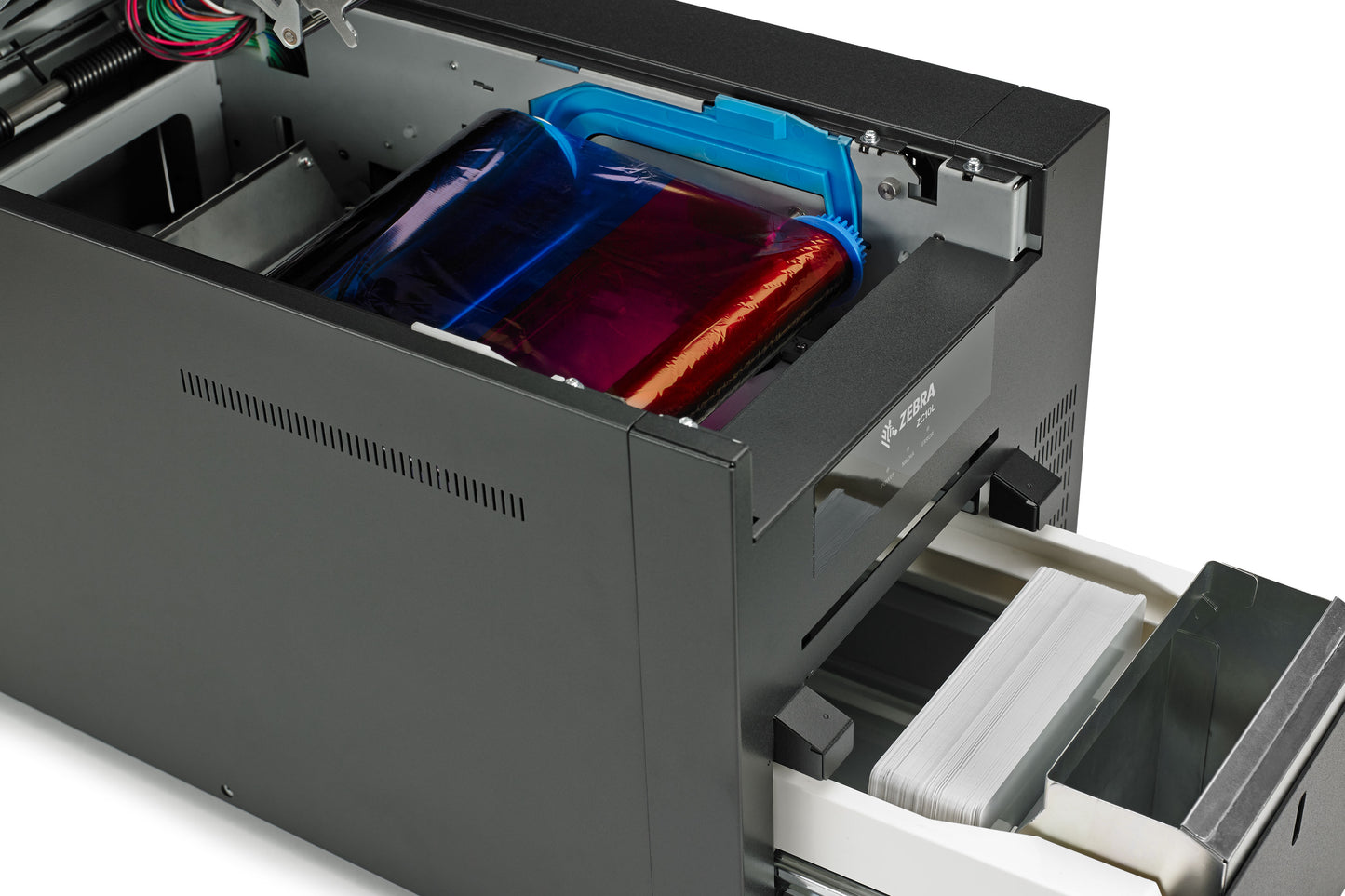
Zebra ZC10L Large Format ID Card Printer | Single Sided | ZC10L-00QT0US00

Skip to product information
1 of 7


Need Pricing?

Please contact Sales for Prices.

  • Fully secure checkout
  • Trusted by thousands
  • Rated and reviewed
Shop safely with us
Awaiting stock, shipping soon

The Zebra ZC10L is a specialist large-format card printer designed for producing oversized event badges, VIP passes, accreditation cards, concert tickets, and hospitality credentials on demand. As the only large-format direct-to-card printer in its class, the ZC10L enables organisations to print full-colour, edge-to-edge oversized badges in a single pass, eliminating the need for pre-printed stock and reducing waste.

Perfect for sporting events, festivals, conferences, exhibitions, and hospitality venues, the ZC10L allows organisers to personalise credentials at the point of entry with attendee names, photos, sponsorship branding, and access permissions. On-demand printing helps streamline event operations while ensuring every badge is produced exactly when and where it is needed.

With 300 dpi print resolution, the ZC10L produces vibrant colours, sharp text, and photo-quality graphics that enhance both security and brand presentation. The oversized card format creates more space for logos, advertising, event information, and attendee details, helping deliver a premium guest experience.

By removing the need to order and manage multiple sets of pre-printed credentials, the Zebra ZC10L reduces inventory costs, minimises waste, and provides greater flexibility when attendee numbers or access levels change unexpectedly. Whether you're issuing VIP credentials, backstage passes, media accreditation, or corporate event badges, the ZC10L offers a fast, professional, and highly adaptable printing solution.

Key Features

  • Large-format, edge-to-edge colour printing in a single pass.
  • Ideal for accreditation badges, event passes, tickets, and VIP credentials.
  • 300 dpi print quality for vibrant graphics and crisp text.
  • Print credentials on demand to eliminate pre-printed stock requirements.
  • Personalise badges with attendee information, photographs, branding, and sponsorship logos.
  • Reduce waste and avoid surplus unused badges after events.
  • Specialised Zebra card and ribbon kits designed to maximise efficiency and minimise consumable waste.

Ideal For

  • Conferences and exhibitions
  • Sporting events
  • Festivals and concerts
  • Hospitality and VIP guest management
  • Media accreditation
  • Corporate events and visitor management

Consumables

Identiworld ZC10L Full Colour Printer Ribbon Consumable

Identiworld ZC10L Monochrome Printer Consumable

Downloads

Care Instructions

Zebra ZC10L Oversized Printer – Care Instructions

To maintain optimum print quality and reliability, clean the Zebra ZC10L regularly using the recommended cleaning supplies and procedures. Zebra provides cleaning materials specifically designed for the printer, and routine cleaning helps prevent print defects, card feeding issues, and premature wear of internal components.

Keep the printer in a clean, dust-free environment and place it on a stable, level surface away from direct sunlight, excessive heat, and moisture. This helps ensure consistent print performance and protects internal components.

Handle cards only by the edges whenever possible. Dust, dirt, oils, and fingerprints on card surfaces can affect print quality and increase contamination inside the printer. Store cards in their original packaging until required for use.

Use only genuine Zebra ribbons, cards, and cleaning supplies designed for the ZC10L. Genuine consumables help maintain print quality, minimise printer wear, and reduce the likelihood of supply-related issues.

Inspect and clean the printer whenever you replace a ribbon. Regular cleaning of the card path and cleaning roller helps remove dust and debris before they affect print quality or card transport.

Periodically empty the waste bin and remove any card debris that may accumulate inside the printer. Keeping the internal card path clear helps prevent card jams and feeding problems.

If the printer is not being used for an extended period, remove any consumables if recommended, cover the printer to protect it from dust, and store supplies in accordance with Zebra's environmental guidelines.

Before performing maintenance, switch off the printer and disconnect the power supply. Follow Zebra's recommended cleaning and maintenance procedures to help ensure long-term reliability and consistent oversized badge printing performance.


ECP-XL Event Card Printer

The Zebra ZC10L is designed to produce oversized event credentials up to 140mm x 88mm, providing significantly more space than standard CR80 cards. This large-format design makes it ideal for conferences, exhibitions, festivals, sporting events, and VIP accreditation programmes where visibility and branding are essential.

Unlike traditional card printers, the ZC10L prints full-colour, edge-to-edge credentials on demand in a single printing process. This eliminates the need for pre-printed badge stock and allows organisers to personalise each credential with names, photographs, access levels, sponsorship branding, barcodes, and event information at the point of issue.

With 300 dpi print quality and support for photo-quality graphics, vibrant colours, and crisp text, the ZC10L delivers professional credentials that enhance both event security and attendee experience. By reducing waste, simplifying logistics, and enabling complete badge customisation, the Zebra ZC10L is the ideal solution for organisations that require flexible, high-impact event accreditation printing.

  • Up to

    195

    Full Colour Cards Per Hour

  • With

    24

    Month Warranty

  • Up To

    140 x 88

    mm Sized Print area

Large-Format, Full-Colour Event Badge Printing

The Zebra ZC10L is purpose-built for event accreditation, conferences, sporting events, festivals, and VIP guest management. As the only large-format direct-to-card printer in its class, it produces oversized credentials up to 140 x 88mm with vibrant, edge-to-edge colour printing in a single pass. With 300 dpi print quality, it delivers rich graphics, sharp text, and professional event badges that stand out.

On-Demand Personalisation + Reduced Waste

Designed for fast-paced event environments, the ZC10L prints credentials exactly when and where they are needed. Personalise each badge with attendee names, photographs, barcodes, access levels, sponsorship branding, and event information without relying on pre-printed stock. On-demand printing helps reduce inventory requirements, minimise waste, and eliminate concerns about running out of specific badge designs.

Simple Event Operations + Flexible Accreditation

The ZC10L simplifies large-scale event accreditation by combining oversized badge production with easy-to-use operation and dependable performance. Ideal for conferences, exhibitions, concerts, festivals, and hospitality events, it enables organisers to create high-impact credentials that improve visibility, strengthen branding, and enhance the overall attendee experience while streamlining badge production logistics.

Does it come with a warranty?

Yes. The Zebra ZC10L is supplied with a 2-year manufacturer’s warranty, giving you dependable coverage for everyday ID card printing.

Does it come with consumables?

The Zebra ZC10L is typically supplied without printing consumables (such as ribbons and blank cards), allowing you to choose the options that best match your card designs and volume requirements.

In the box, you can expect the essentials to get started with installation, such as the printer, power/adapter, USB cable, and the included driver media.

How do I set up the printer once i get it?

Setting up the Zebra ZC10L is quick and straightforward. Start by unpacking the printer and placing it on a stable, level surface with adequate ventilation. Connect the power supply and switch the printer on. The printer includes a cleaning roller, which should be installed before loading supplies.

Next, install the ribbon by opening the printer cover and fitting the supply and take-up spools into their designated guide rails. Once the ribbon is installed, load your large-format cards into the card drawer according to the printer's instructions.

Download and install the latest Zebra ZC10L driver from Zebra's support website. Connect the printer to your computer using the USB cable and complete the driver installation. Once connected, the printer will be available through your chosen card design or accreditation software.

Before printing live credentials, Zebra recommends printing a test badge to confirm correct card alignment, colour output, and print quality. Regular cleaning and the use of genuine Zebra supplies will help ensure reliable performance and consistent oversized badge production.

Get in touch

We're available 24/7 to assist. Just let us know what we can help you with and we'll do our best.

We'll aim to get back to you within 24 hours.