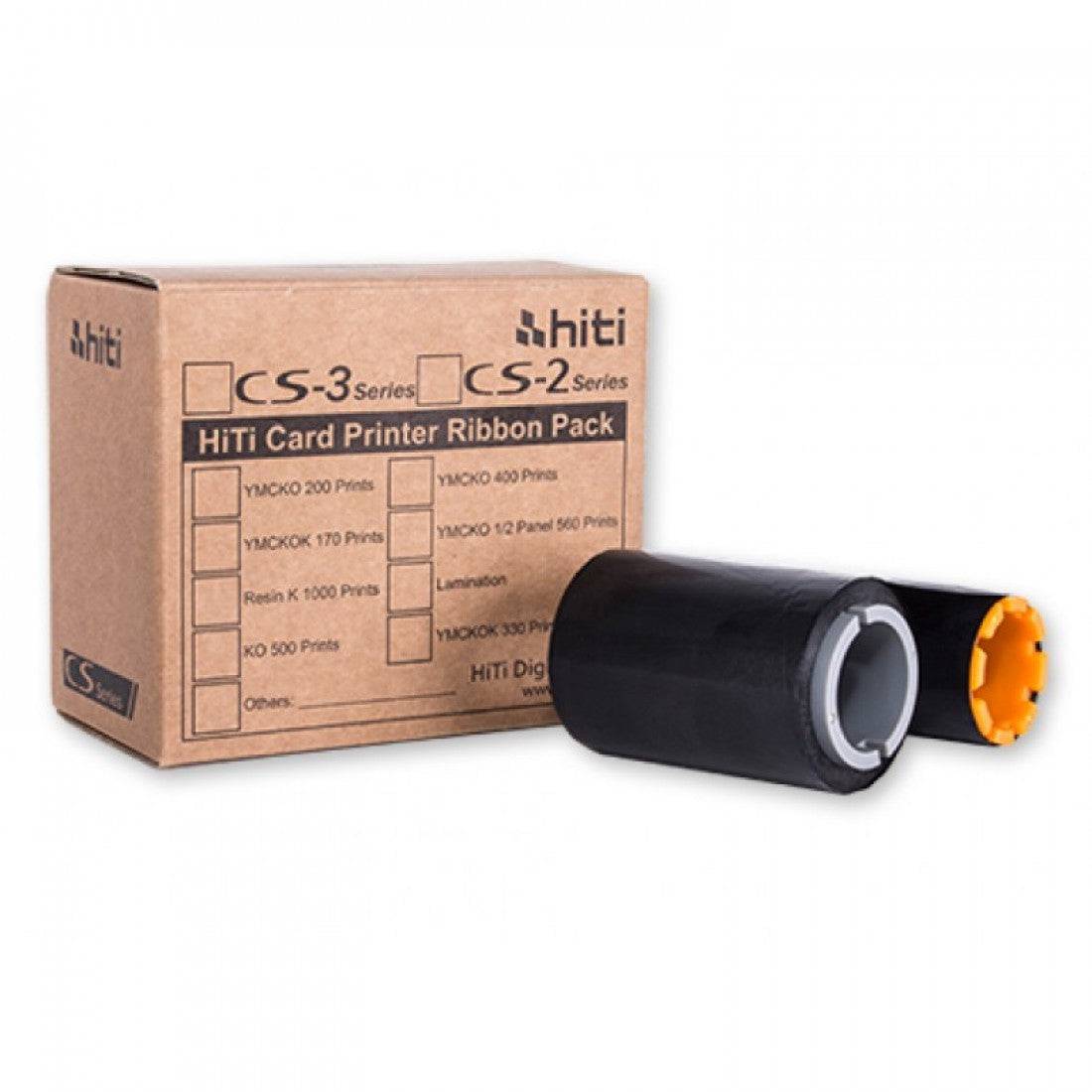
ECP Black Monochrome Ribbon | 1000 Prints | 12177

Skip to product information


Need Pricing?

Please contact Sales for Prices.

  • Fully secure checkout
  • Trusted by thousands
  • Rated and reviewed
Shop safely with us
Awaiting stock, shipping soon

ECP Black Monochrome Ribbon | 1000 Prints

The CX ECP event card printer Line is based on an established colour sublimation card printer and can print different sized ID cards for major events. 

Produce perfect black and white prints and represent your organisation to the highest possible standard with the ECP Monochrome black ribbon. Compatible with the ECP Line Event ID card printers, this ribbon produces an impressive 1000 prints per roll.

Product Code: 12177

Consumables

Downloads

Care Instructions

Dascom DC-8600 Retransfer Printer – Care Instructions

1) Keep the printer in the right environment (prevents most print defects)

  • Place the printer on a stable, level surface and keep it away from dust, direct sunlight, and high temperatures.
  • Keep liquids away from the printer at all times.
  • Avoid shock/impact/vibration, which can affect print alignment and feeding.

2) Power & safety before any maintenance

  • Always disconnect the printer from mains power before opening covers to perform cleaning or maintenance.
  • The printer contains hot components, allow adequate cooling time before touching internal areas. (The manual warns not to touch hot parts until the printer has been off long enough to cool.)
  • Don’t attempt repairs outside the manual, use a qualified technician when needed.

3) Handle ribbon + retransfer film correctly (critical on retransfer printers)

  • Do not touch the ribbon or retransfer film, direct contact can contaminate media and cause uneven print quality.
  • Avoid dropping, stressing, or knocking the ribbon/film cartridges during replacement.
  • Replace the retransfer film when the LCD shows “FILM END” to avoid print errors and downtime.

4) Use the correct consumables (protects print quality and reliability)

  • Dascom advises using Dascom-provided/approved consumables and accessories for best results.
  • The DC‑8600 cleaning set typically includes cleaning cards and a cleaning roller (often supplied/paired with consumables).

5) Replace the cleaning roller regularly (important)

  • A cleaning roller is supplied with each ribbon, and Dascom states it should be replaced each time you change the ribbon to maintain print quality and help protect the printhead.
  • Follow the manual steps: remove the cleaning cartridge, swap the roller, peel the protective coating, and re-seat the cartridge until it clicks into place.

6) Routine cleaning (follow the printer’s cleaning menu / manual steps)

The DC‑8600 user documentation includes cleaning procedures for:

  • Cleaning with a cleaning card
  • Cleaning the cleaning roller / feeding roller / transport roller
  • Filter cleaning

Best practice: run the recommended cleaning procedure whenever the printer prompts, after heavy usage, or if you notice feeding issues or print artifacts, and always use fresh, appropriate cleaning materials.


ECP-XL Event Card Printer

The ECP-XL Event Card Printer is designed to produce oversized event credentials up to 140mm x 88mm, offering significantly more space than standard card formats. It also supports additional sizes such as 124mm x 88mm, giving you flexibility to create highly visible badges suited to different event types and access requirements.

The printer personalises cards within a standard CR80 print area (86mm x 54mm), while the remaining space is pre-printed. This allows for bold, full-colour branding across the entire card, combined with on-demand printing of key details such as names, photos, barcodes, and access levels.

By combining large-format card capabilities with precise and reliable printing, the ECP-XL is ideal for high-profile events where visibility, branding, and efficient accreditation are essential.

ECP-XT Event Card Printer

The ECP-XT Event Card Printer is designed to support extended-format cards up to 140mm in length, while maintaining a standard width of 54mm. This allows you to produce long, highly visible event badges in a variety of sizes, including 98mm, 109mm, 128mm, and 140mm formats.

The printer applies personalisation within a standard CR80 print area (86mm x 54mm), meaning the remaining section of the card is pre-printed in advance. This approach enables vibrant, full-length branded designs while allowing key details such as names, photos, barcodes, and access levels to be added on demand.

By combining extended card formats with precise, reliable printing, the ECP-XT offers a practical and efficient solution for event accreditation, where both visibility and speed are essential.

ECP-CR100 Event Card Printer

The ECP-CR100 Event Card Printer is designed to print on CR100-sized cards measuring 98mm x 67mm, offering a larger credential format than standard CR80 cards while remaining compact and easy to handle. This makes it an ideal solution for events, visitor management, and temporary credentials where increased visibility and additional branding space are required.

The printer personalises cards within a standard CR80 print area (86mm x 54mm), while the remaining card space is pre-printed in advance. This allows for eye-catching full-colour designs, logos, sponsorship graphics, and event branding, while on-demand details such as names, photos, barcodes, and access levels can be added instantly.

Combining a practical mid-size card format with reliable, high-quality printing, the ECP-CR100 is an excellent choice for organisations that need professional event badges with enhanced presence and fast on-site issuance.

  • Up to

    180

    Full Colour Cards Per Hour

  • With

    24

    Month Warranty

  • Up To

    3

    Different Print Areas On ECP-XL

High-Speed 300 dpi Event Card Personalisation

The ECP Series delivers fast, reliable direct‑to‑card printing for event credentials using thermal sublimation / thermal transfer at 300 dpi. With output speeds of up to 180 full‑colour cards per hour and 1,400 monochrome cards per hour, it’s designed for rapid badge issuance in busy accreditation and ticketing environments.

Oversized Card Flexibility + High-Capacity Handling

Built for oversized, pre‑printed event stock, the ECP range supports multiple extended formats, CR100 (67 × 98mm), extra‑long cards up to 140mm (54mm wide), and XXL cards (88 × 124mm / 88 × 140mm), all personalised within a consistent 54 × 86mm print area. Each model features a 100‑card input and 50‑card output tray (based on 0.76mm thickness), helping keep queues moving during peak print runs.

Simple Setup + Professional Options for Scaling

Designed for operational convenience, ECP printers include a PD display, plug‑and‑play drivers for Windows and Mac, and an easy field‑changeable printhead for reduced disruption. For growing event requirements, optional upgrades include an Ethernet network interface and contactless encoding (RFID & UHF), with embedded encoding options also referenced for RFID transponders, smart cards, and magstripes depending on configuration.

Does it come with a warranty?

Yes. The ECP Series is supplied with a 2-year manufacturer’s warranty, giving you dependable coverage for everyday ID card printing.

Does it come with consumables?

The Identiworld ECP Series is typically supplied without printing consumables (such as ribbons and blank cards), allowing you to choose the options that best match your card designs and volume requirements.

In the box, you can expect the essentials to get started with installation, such as the printer, power/adapter, USB cable, and the included driver media.

How do I set up the printer once i get it?

To set up an ECP Series printer, start by positioning the unit, connecting power, and linking it to your computer via the standard USB connection (Ethernet is available as an optional interface on these models). Install the plug‑and‑play printer driver on your Windows or Mac machine, then power on the printer and follow the on‑screen prompts; the built‑in PD display helps confirm status during setup. Once the driver is installed, load the ribbon and cards, and run a quick test print to confirm correct alignment and colour/mono output before moving into production.

Get in touch

We're available 24/7 to assist. Just let us know what we can help you with and we'll do our best.

We'll aim to get back to you within 24 hours.